EHS Professionals
Reduce time filing and organizing documents significantly to get to compliance faster.























Document processing moves from one at a time to one BATCH at a time, speeding up contractor compliance tracking.
The work of determining which requirement a document satisfies, and typing its details into a form, is done before a person opens the task.
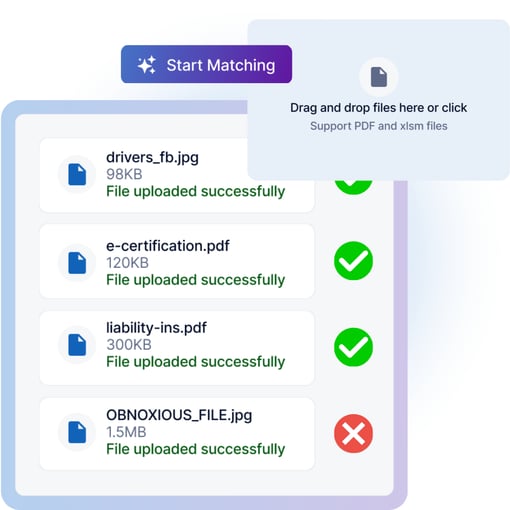
 Bulk Upload From the Vendor Page

Upload compliance documents in bulk from the Vendor Page within ContractorOS. Site Admins can upload documents in bulk via the dashboard using the Vendor Name selector, then click Upload Files. Vendor Admins can upload documents in bulk via their own Vendor page using the same banner. A single batch can include a mix of vendor-level and contractor-level documents.
 AI-Powered Workflows Classify & Extract Fields
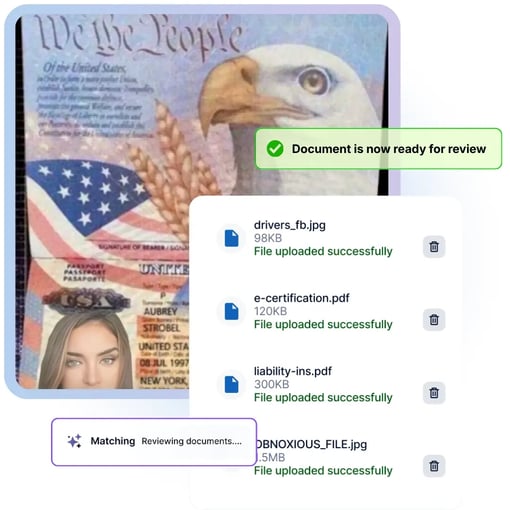
After uploading the documents in bulk, each uploaded file is read, classified by document type, and its key fields extracted via our AI OCR, then proposed against the pending compliance task it addresses.
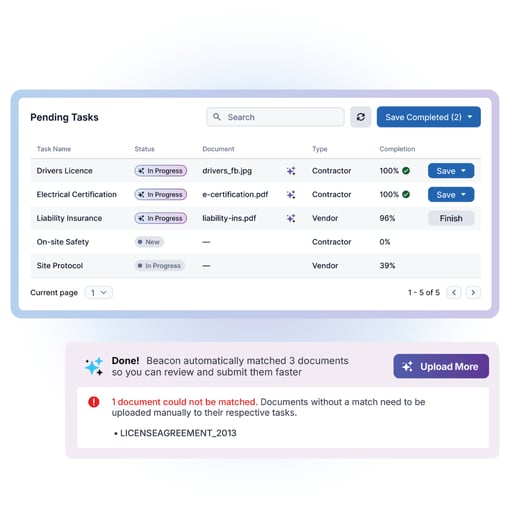
To make review of the sorted documents and task completion easier, ContractorOS has a dedicated matching tab on the vendor page. That tab holds pending tasks, vendor tasks, and contractor tasks in one view so review and completion can happen in one place instead of across individual task pages.
 Bulk Actioning & Finishing the Tasks via Existing Authority
Each task now has a completion indicator, showing how much of the required information was populated automatically. Those with 100% completion get a green check meaning every required field is filled and the task is ready to action.
When tasks are 100% completed, Site Admins can use Save Completed and Vendor Admins can use Submit Completed to action those tasks. After they are submitted and saved the Finish appears where required fields are still missing and opens the task so they can be completed by hand.
 Audit-Ready Records
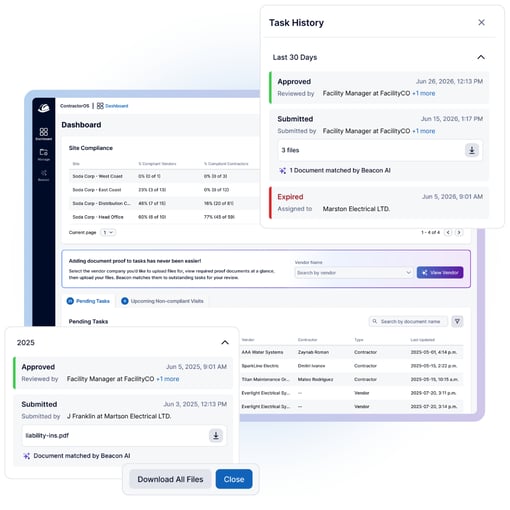
After the tasks are complete, submitted, saved, and approved, all these steps are documented in Task History. The record covering expired, submitted, and approved tasks including who reviewed or approved each one. Keeping your records audit-ready after they are quickly sorted.

EHS Leaders Research Report
Get the full report and insights to understand the growing disconnect between responsibility and operational control in visitor management and safety programs.

Think of it as the compliance analyst you’d hire to review hundreds of documents every week. From IDs and trade permits to proof of insurance and specialized certifications, the ContractorOS AI Compliance Assistant processes submissions in seconds and matches each document to the right compliance requirements. Your team still makes the final call. They just focus their attention on the submissions that truly need it.
- Thiago Lang, VP of Product, FacilityOS