
In high-risk environments, getting a visitor cleared to enter is rarely quick. Safety training can mean long induction videos, multiple documents to read and sign, and quizzes that confirm comprehension. When that work happens at the front desk as people arrive, it becomes time-consuming, error-prone, and hard to scale across sites and shifts. Visitor safety and compliance improves when this work shifts to before arrival, so the lobby handles arrival rather than onboarding.
What Does Visitor Safety & Compliance Involve?
Visitor safety and compliance involves a set of steps that confirm everyone entering a site is identified, trained on site-specific safety protocols, and bound by any required legal acknowledgments such as NDAs and facility agreements. It can cover identity verification, safety training, document sign-off, access control, and the documentation that proves each step happened. Strong visitor onboarding completes these steps before a badge is issued.
What Every Visitor Must Complete Before Facility Access
Most regulated sites require about three things from a visitor before entry is approved. The exact mix depends on the site and the visitor type.
- Safety training. Site-specific safety or induction content in the formats most facilities already use: videos, documents to read and sign, and quizzes that confirm comprehension. Completion is logged for each visitor.
- NDA and document sign-off. NDAs, safety guidelines and handbooks, and facility-specific agreements signed before entry is approved.
- Screening and host approval. Government ID verification, watchlist screening, and health screening confirm identity and risk, and host approval is verified before entry or a badge is issued.
Completing Visitor Safety & Compliance Measures: At Arrival or Before?
These steps are the visitor safety and compliance measures a site enforces at check-in: safety training, document sign-off, and screening with host approval. A visitor's check-in usually combines several of them, and each can be completed when the visitor arrives or before they reach the site. This is set per visitor type, not once for the whole facility: a site can require pre-arrival completion for scheduled contractors while letting walk-ins and short-notice guests finish at arrival.
It also varies by item, since a quick NDA signature or ID scan works fine at a check-in kiosk, while a 30 to 40 minute training video is better finished before arrival so it does not hold up the lobby.
Each path can run manually or through a digital system, and that choice drives speed and record quality as much as the timing does.
Pre-Arrival: Training & Screening in Advance
Completing the measures before the visit means a visitor can be approved before they reach the site, so check-in confirms a finished record and they go straight in after signing in.
- Safety: subcontractors who need hours of safety training can finish it ahead of the scheduled work date. A long induction does not delay the job or back up the lobby, which matters in industries like construction that bring many subcontractors on-site at once.
- Compliance and security: when screening such as passport or watchlist checks runs before arrival, the host can pre-approve the visitor or contractor in advance. This supports requirements like ITAR, where a US person can be screened and cleared before reaching a controlled area.
Pre-arrival works either way, but the method changes how reliable the record is:
- Manual: documents are emailed ahead and returned by the visitor. This moves work off the arrival day but is hard to track and easy to misfile, so it is hard to prove what was completed.
- Digital (better): advanced pre-registration assigns the required items by visitor type, lets the visitor complete them remotely on their own time,[1] and logs each completion against the visitor record. Nothing clears until the items are done, so the visitor arrives with a verified, audit-ready record.
Handling training and screening digitally before arrival surfaces any gaps in advance, so a contractor is cleared to start scheduled work on time instead of being held at the door.
At Arrival: Complete A Few Steps At Check-In
Some measures are short enough to finish during sign-in, which fits walk-ins and short-notice guests who cannot be pre-registered.
Safety and compliance: a visitor can read and sign an NDA or compliance document as part of sign-in, or watch a short onboarding video before they are cleared to enter, so the requirement is met at the door without a long delay.
The method still matters at the door:
- Manual: paper forms and briefings run at the desk. Paper logs are slow to search at audit time, and in the US OSHA penalties can reach up to $16,000 per violation,[1] so gaps in the record carry real risk.
- Digital (better): a check-in kiosk delivers the items, logs each completion, and gates entry until they are done. The work still happens on-site, but the record stays consistent across every shift and visitor, and it is searchable on demand at audit time.
A clear process lets the front desk focus on welcoming visitors while the system handles the paperwork.
The difference in practice: pre-arrival suits long or strict requirements like multi-hour training and watchlist or health screening, while at-arrival suits short steps like a quick signature or a brief video. It depends on the needs of the site and the visitor type, and most sites mix both. Whichever timing applies, a digital workflow logs every step and applies the same requirements to each visitor.

Use a Visitor Management System to Automate Safety & Compliance Onboarding
The most reliable way to run these steps is a visitor management system that delivers training, document signing, and screening in one place and logs every completion.
VisitorOS is FacilityOS's visitor management platform that can handle visitor onboarding both before arrival and at check-in, so each visitor type completes its training and signing on the timing that fits and check-in confirms a verified record. Each capability below maps to how it handles a specific part of the workflow.
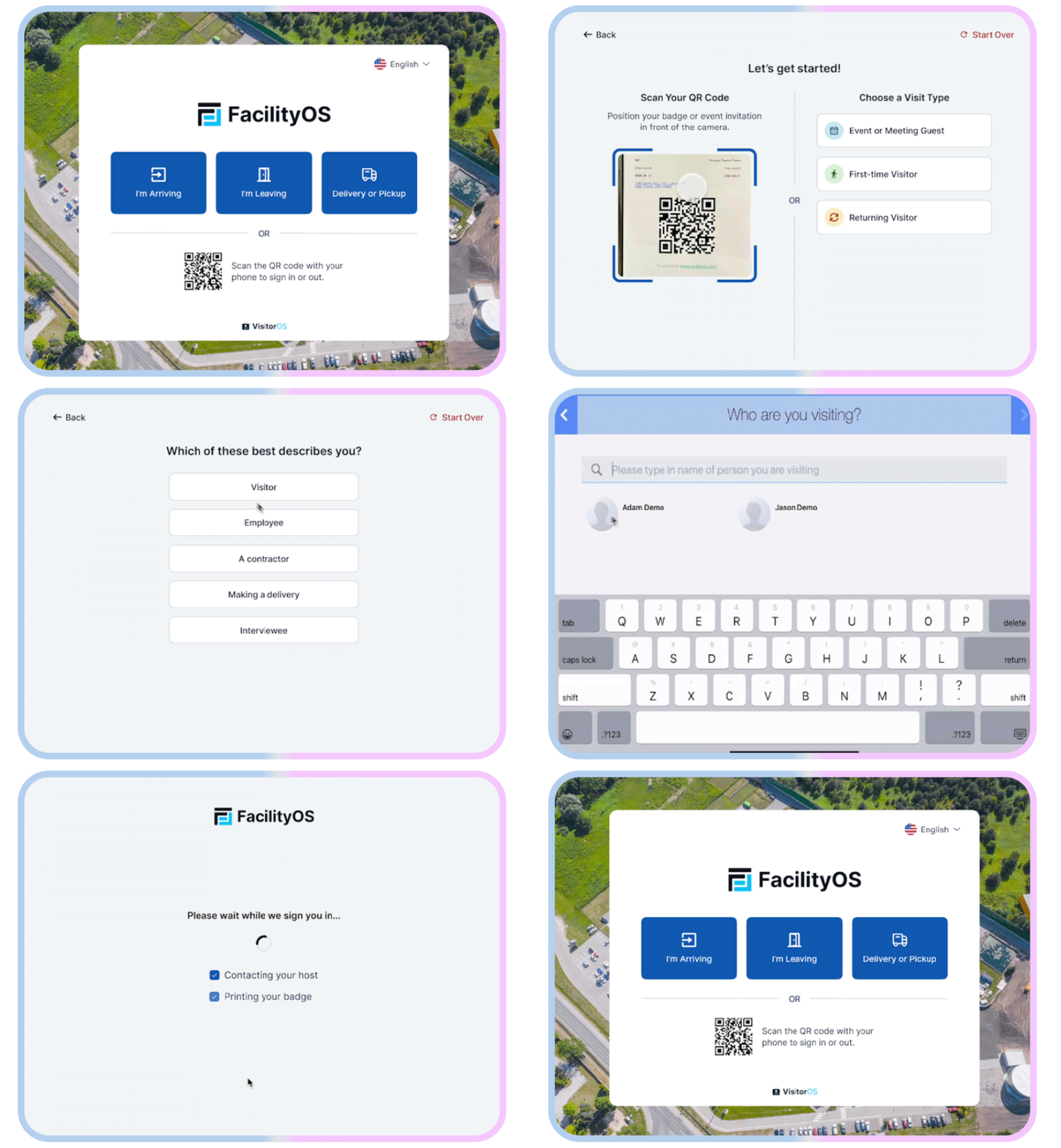
Safety Training In Any Format
.webp?width=547&height=300&name=VOS-safety-training-img%20(1).webp)
VisitorOS supports videos, documents, and quizzes, and assigns specific training to different visitor roles and types.[1] Visitors complete the assigned training before arrival during pre-registration or at the check-in kiosk, and the system logs each completion. When regulations change, updated materials are uploaded to the backend and become available to visitors at their next check-in.
The payoff is time back for visitors and staff. Valmet built its safety orientation into VisitorOS and cut contractor training time by more than 90%, from up to an hour per contractor to about 5 minutes. Self-serve training also removes the staff hours spent running repeat sessions at the desk and keeps scheduled work from slipping while a crew waits to be inducted.
Digital NDA & Document Signing
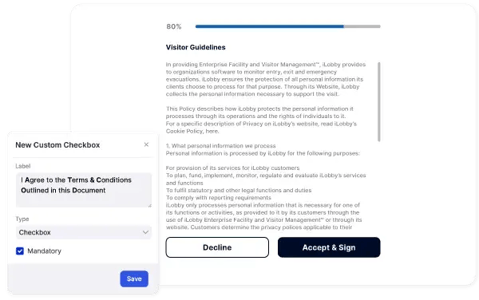
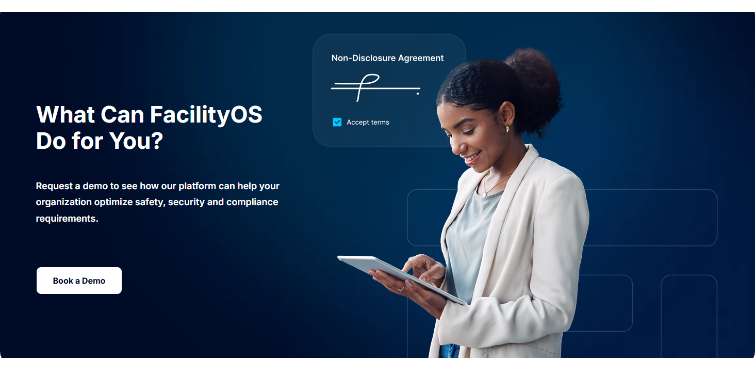
You can customize document workflows for each visitor type, from NDAs to other legal documents, so guests meet all requirements before entering. Handbooks, safety guidelines, and facility-specific agreements are signed digitally at or before check-in, which keeps paperwork out of the lobby.
Digitizing sign-off removes the printing, scanning, and filing that paper creates, and it closes the gap where someone enters without a signed NDA. Because the right documents attach to each visitor type automatically, staff stop chasing missing signatures after the fact, and the site carries less legal exposure on confidential or regulated work.
Advanced Pre-Registration
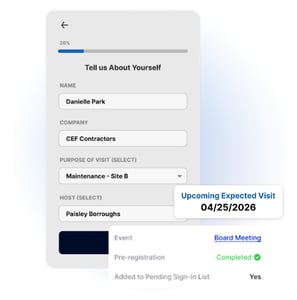
VisitorOS offers advanced pre-registration for expected visitors and contractors before the visit, assigning the training, documents, and checks each visitor type needs so they can be reviewed and approved in advance. Hosts invite guests ahead of time, and the visitor completes their requirements remotely on their mobile device through a provided link to the VisitorOS sign-in portal.
The payoff is a predictable arrival with the work done up front. Pre-registered visitors clear the day-of bottleneck at the kiosk, scheduled contractors start on time, and staff know who is expected and what each person still owes before anyone reaches the lobby. Reviewing and approving information in advance also makes compliance checks smoother, which is how SMTC Corporation used pre-registration to register and approve visitors before arrival as part of meeting its Department of Defense requirements.
Visitor Screening
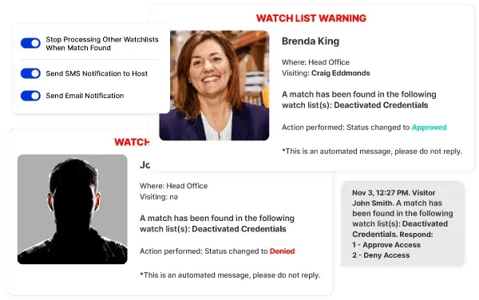
VisitorOS screens visitors as part of onboarding, covering identity and ID verification, watchlist screening, and health or hygiene screening. Screening can run natively in VisitorOS or through an integration with the screening software a site already trusts, so each visitor is checked against the standards that apply before they are approved.
For regulated sites, reliable screening is what makes compliance workable. SMTC Corporation, which operates under Department of Defense rules, chose VisitorOS partly because it integrated with their Visual Compliance screening tool and automatically checked every visitor against government watchlists and the Consolidated Screening List. That automated a step they previously had no systematic way to run, and it kept them compliant with regulations like ITAR and DFARS.
Records Attached to Visitor Logs
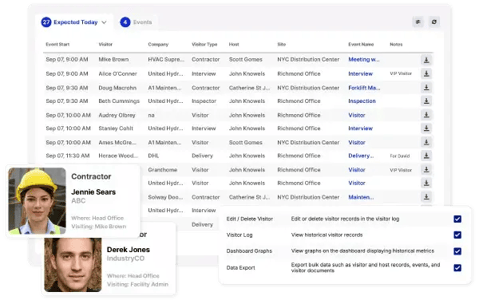
Every completed document is stored securely and attached to each visitor's log, which makes audits organized and fast.[2] When an inspector asks for proof, the documentation is retrievable by visitor or date without searching paper binders.
The time savings show up most at audit. Before VisitorOS, SMTC Corporation spent hours manually counting logbook entries to report metrics like the number of foreign nationals required under ITAR. It now generates detailed reports in minutes, which removed an error-prone manual process and made audit prep far faster.
Reliable digital records also reduce the failed-audit and re-inspection costs that follow missing or illegible paperwork.
Configurable Cadences Plus Retention & Purging
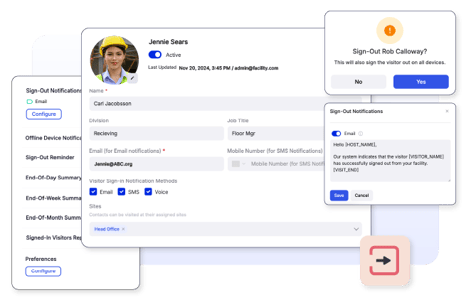
Document cadences support re-acknowledgment on a set schedule, such as every six months, so visitors stay aligned with current standards.[2] Configurable retention and automated purging keep records only for the necessary period, which supports privacy regulations and data-protection standards.
Automating renewals removes the manual follow-up of tracking who is due to re-sign, so recurring contractors stay current without onboarding from scratch each visit. Automated purging also limits how long personal data is held, which lowers data-protection risk and the storage and liability of keeping records longer than a policy requires.
Who Benefits & How
Automating safety training and document signing at check-in changes the day-to-day for several roles. Each persona below gains a specific, verifiable benefit from the same workflow.
EHS Managers
EHS managers can confirm that visitors complete safety and emergency protocol training at check-in before entering high-risk areas.[1] Cadence-based renewals keep training current, which supports a safer site without repeated manual follow-up.
Security Managers
Security managers gain a controlled front door, since access stays gated until screening, training, and signatures are complete. No badge is issued until a visitor is cleared, which keeps untrained or unsigned people out of high-risk areas and keeps the entry record consistent across shifts and reception staff.
Facility/Operations Managers
Facility and operations managers get a faster lobby, because training and signing run through the check-in kiosk instead of as manual paperwork handled at the desk. Throughput holds up during busy periods, and the record of who completed what stays consistent across sites and shifts with minimal manual work.
Frequently Asked Questions
How do you automate visitor safety training before arrival?
Use a visitor management system with advanced pre-registration. Assign the required videos, documents, and quizzes to each visitor type, then deliver them ahead of the scheduled visit. Visitors complete the training remotely on their own time, and the system logs each completion. When they arrive, the work is already done, so check-in stays fast and the front desk avoids running sessions on the spot.
Can visitors complete and sign an NDA before they reach the facility?
Yes. With VisitorOS, you can attach NDAs, handbooks, and facility-specific agreements to a visitor type and deliver them during pre-registration. Visitors review and sign digitally before arrival, and signed copies attach to their visitor log. This keeps paperwork out of the lobby and gives staff a verified record before entry is approved.
What happens if a visitor hasn't finished training or signed at check-in?
Access stays gated. VisitorOS does not approve entry or issue a badge until the required training and signatures are complete. A visitor who arrives with outstanding items finishes them at the kiosk before proceeding. This keeps untrained or unsigned visitors out of high-risk areas and keeps the record consistent regardless of who staffs reception.
Can different visitor types get different training and documents?
Yes. You configure document and training requirements by visitor type, so a contractor, an auditor, and a general guest each receive workflows that match their access. This routes the right safety content to the right people and avoids asking low-risk visitors to complete training built for high-risk roles.
How are signed documents stored for audits?
Completed documents are stored securely and attached to each visitor's log. During an audit, you retrieve the record for a specific visitor or date without searching paper binders. Because every completion is logged digitally and organized by visitor type, the documentation that proves compliance is ready when an inspector asks for it.
How long are visitor documents retained?
Retention is configurable. VisitorOS supports document retention and automated purging, so records are kept for the period your policy requires and removed when they are no longer needed. This supports privacy regulations and data-protection standards while keeping the visitor log current.
This page provides general guidance on visitor safety and compliance and is not legal advice. Confirm requirements with your compliance and legal teams.
 Streamline Your Visitor Program
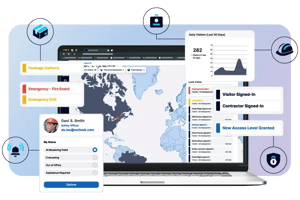
Streamline and automate your visitor management operations to achieve ITAR regulatory compliance, enforce safety protocols, and drive site security requirements.