FacilityOS > LogisticsOS > Check-In / Check-Out

Check-In / Check-Out Workflow

Full accountability for every asset, in and out.

Laptops leave for trade shows. Projectors move between departments. Equipment gets deployed to teams. Devices come back damaged. Without a structured check-in / check-out process, assets disappear into spreadsheets, emails, and assumptions.

LogisticsOS Check-In / Check-Out creates a controlled, trackable, and auditable workflow for every asset movement — so you always know who has what, when it left, and when it’s coming back.


Check-in-Check-Out-LogisticsOS

Control Every Asset Movement

Assets move constantly but without structured check-in/check-out processes, accountability breaks down. LogisticsOS replaces informal handoffs with a documented, auditable workflow that tracks custody, enforces return expectations, captures condition at every transfer, and records every transaction in real time.

Control Every Asset Movement

Assets move constantly — but without structured check-in / check-out processes, accountability breaks down. LogisticsOS replaces informal handoffs with a documented, auditable workflow that tracks custody, enforces return expectations, captures condition at every transfer, and records every transaction in real time.

Check   How LogisticsOS Check-In/Check-Out Works

STEP 1: Assign Assets to People or Places

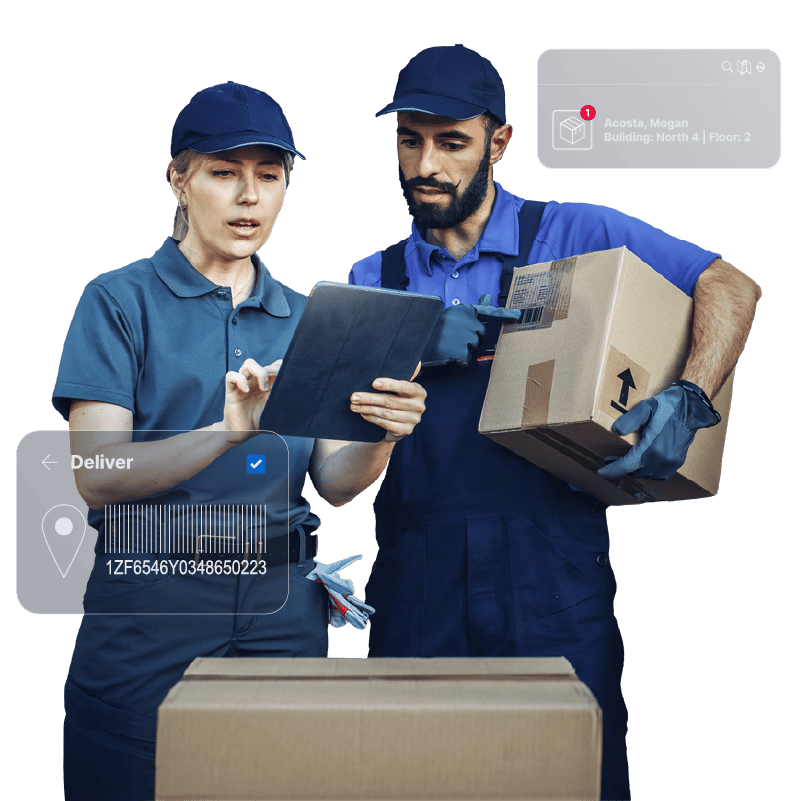
Check assets out to individuals, departments, or locations with barcode scanning and configurable fields. Capture who has it, when it left, its condition at handoff, and (if needed) an expected return date.

STEP 2: Set Return Expectations

Define due dates for temporary deployments and automate reminder notifications as deadlines approach — reducing overdue assets without manual follow-up.

STEP 3: Issue Digital Receipts

Generate printable or emailable PDF receipts at checkout to confirm assets issued, return timelines, and condition — creating instant accountability.

STEP 4: Log Condition at Check-In

Scan assets upon return, update condition status, add notes, capture photos, and collect digital signatures to document damage or changes immediately.

STEP 5: Move or Reassign with Full History

Transfer assets between departments or owners with a simple scan and update. Every movement is timestamped and added to the asset’s permanent chain of custody.

Step 1

Centralized Asset Registry

Start with a complete asset inventory.

Import from Excel, ServiceNow, or your system of record — or add assets manually with configurable metadata fields.  Capture details such as Asset tag / unique ID, Serial number, manufacturer, model, and more.  Assets can be tagged using existing barcodes — or generated and printed directly from the system

checkmark-icon-line

Step 2

Real-Time Audit & Verification

Conduct physical audits using web or mobile devices by scanning asset tags on site and update location instantly. Record condition changes (functional, damaged, cracked, etc.) and capture photos during inspection.  Every scan updates the asset’s chain of custody — creating a defensible audit trail.

checkmark-icon-line

Step 3

Complete Chain of Custody

Track every movement from storage to service to retirement.  Assets can be checked out to individuals, signed to departments or locations and moved between facilities.  Each event is timestamped and recorded, creating a full lifecycle history.

checkmark-icon-line

Step 4

Structured End-of-Life Tracking

When assets reach end of life, auditing doesn’t stop.  Document how assets are handled and whether they were recycled, donated, sold, or disposed.  This structured surplus reporting supports finance, compliance, and forecasting requirements.

checkmark-icon-line

Step 5

Capital & Compliance Visibility

Flag high-expenditure assets and monitor lifecycle data.  Track CapEx assets separately and monitor maintenance due dates or identify assets approaching retirement . You always have a clean audit trail ready for review.

checkmark-icon-line

How Asset Auditing Works

Step 1

Assign Assets to People or Places

Check assets out to individuals, departments, or locations with barcode scanning and configurable fields. Capture who has it, when it left, its condition at handoff, and (if needed) an expected return date.

checkmark-icon-line

Step 2

Set Return Expectations

Define due dates for temporary deployments and automate reminder notifications as deadlines approach — reducing overdue assets without manual follow-up.

checkmark-icon-line

Step 3

Issue Digital Receipts

Generate printable or emailable PDF receipts at checkout to confirm assets issued, return timelines, and condition — creating instant accountability.

checkmark-icon-line

Step 4

Log Condition at Check-In

Scan assets upon return, update condition status, add notes, capture photos, and collect digital signatures to document damage or changes immediately.

checkmark-icon-line

Step 5

Move or Reassign with Full History

Transfer assets between departments or owners with a simple scan and update. Every movement is timestamped and added to the asset’s permanent chain of custody.

checkmark-icon-line

Basic vs Advanced Workflows

LogisticsOS Supports Both Flexible & Governed Environments

1

Basic Mode


Ideal for fast-moving operational teams.

  • Immediate move, checkout, or reassignment
  • No approval required
  • Instant update to asset record
2

Advanced Mode (With Requests)


For regulated industries and high-value asset-operations.

  • Submit move or ownership change requests
  • Route for review and approval
  • Notify requester upon approval or denial
  • Maintain structured governance over asset movement
LogisticsOS-InventoryDash

Built for Real-World Operations

From tablets and projectors to IV pumps and specialized equipment, every asset movement is documented and verifiable.  Check-In / Check-Out Supports:

  • Trade show equipment deployments
  • IT device issuance
  • Healthcare device allocation
  • Facilities equipment movement
  • Shared resource management
  • Capital asset control
FacilityOS logo
Facility, Asset & Visitor Management Modular Platform
VisitorOS
Keep track of on‑site visitors & contractors.
ContractorOS
Centralize & automate contractor compliance processes.
EmergencyOS
Digitize all stages of emergency & evacuation management.
LogisticsOS
Track packages across the entire chain of custody.
SecurityOS
Extend the benefits of access control to contractors.
 
 
FOS-Card-View-Half-moduleview