FacilityOS > VisitorOS > Self Check-In
Self Check-In
iPad Kiosks for Visitor Management
Give visitors a fast, secure, and professional check-in experience with VisitorOS iPad kiosks. Our self check-in capabilities streamline the reception process and provide a hassle-free check-in experience while keeping your facility compliant and secure.






















Step 1
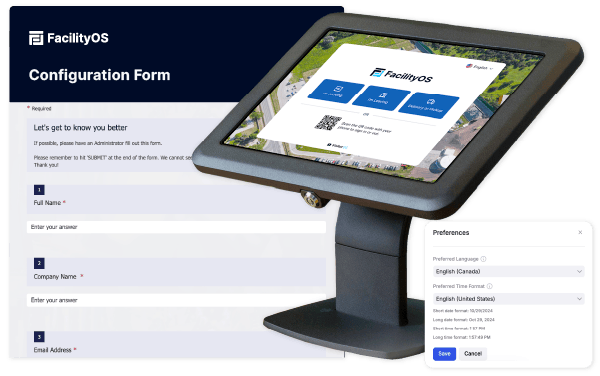
Receive Your Pre-Configured iPad and Kiosk Stand
Your visitor management kiosk arrives ready to go, with the iPad pre-configured to your facility’s specific needs. The polished kiosk design fits seamlessly into any entry point, ensuring a professional and modern appearance.
Step 2
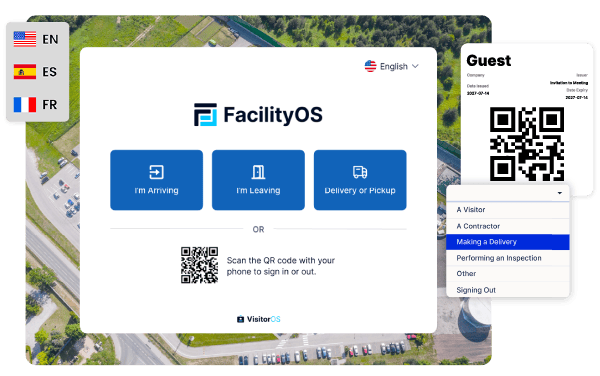
Start at the Kiosk or Scan the QR Code
Visitors begin the check-in process at a kiosk or by scanning a QR code using their own mobile device.
Step 3
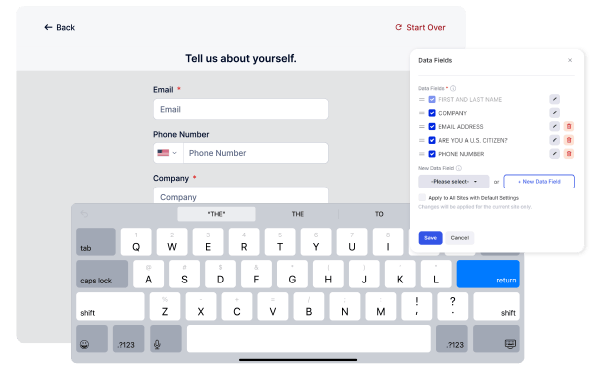
Enter Required Information
Visitors follow a step-by-step check-in process tailored to your facility’s workflow, including questions, policy acknowledgment, or document signing.
Step 4
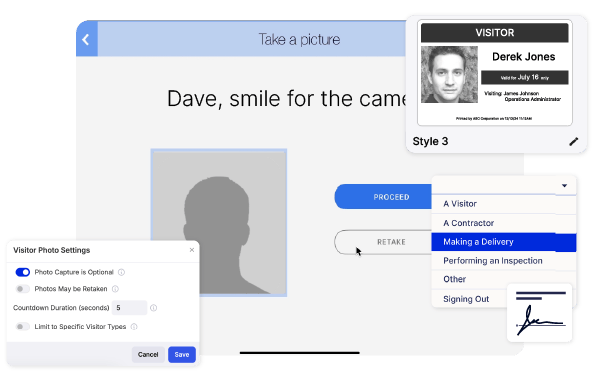
Scan ID, Capture Photo, Print Badge
Depending on configuration, visitors scan their ID, take a photo, and receive a printed badge, all directly from the kiosk.
Step 5
Host Gets Notified Immediately
VisitorOS sends a real-time notification to the host once the check-in is complete, so they can greet the visitor right away.