Security Officers
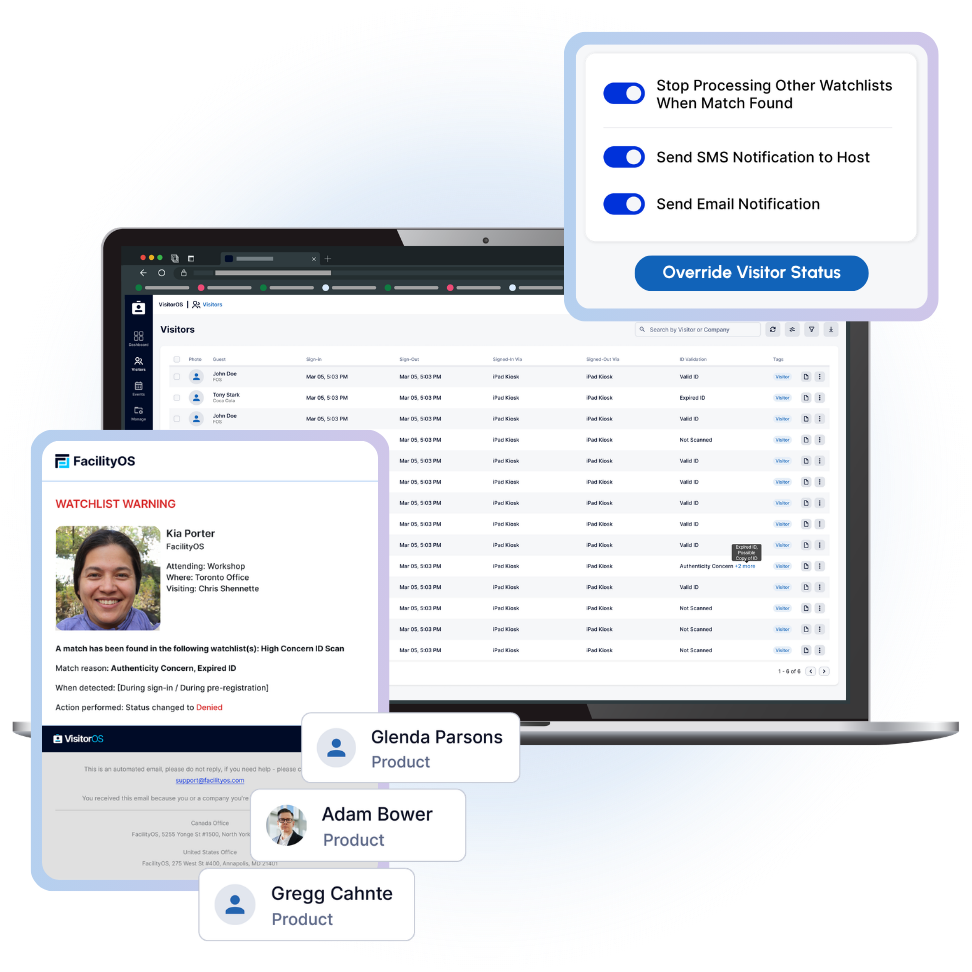
Tighten security measures at entry with ID Validation working alongside Watchlists & Visitor Approval.


FACILITY MANAGEMENT LEARNING HUB
Build your knowledge with practical, industry-specific content and guides.

NEW! VISITOR MANAGEMENT LEARNING HUB
Build your knowledge on visitor management, from solution comparisons, use cases, to compliance requirements.
FACILITYOS INSIGHTS NEWSLETTER
Sign up for exclusive content and industry updates from our quarterly newsletter.
VisitorOS’s ID Validation feature scans a visitor’s ID and uses AI-powered workflows to check authenticity, expiry, and validity. Now included in your audit-ready visitor records.
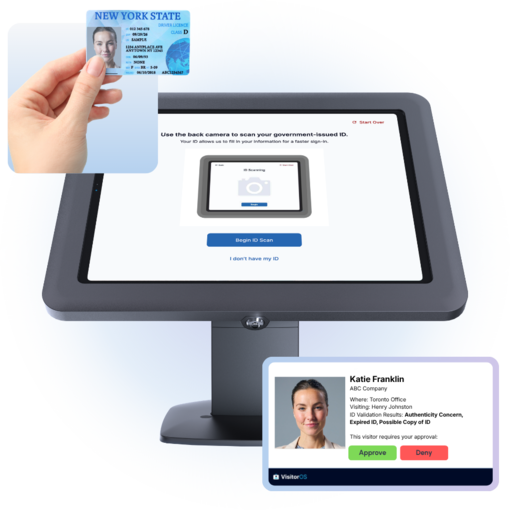
VisitorOS flags authenticity concerns, information mismatches and screen or printout copies while the visitor is still signing in.
Validate that every visitor's ID is authentic and current at sign-in, then act on it automatically with Watchlist and Visitor Approval features.
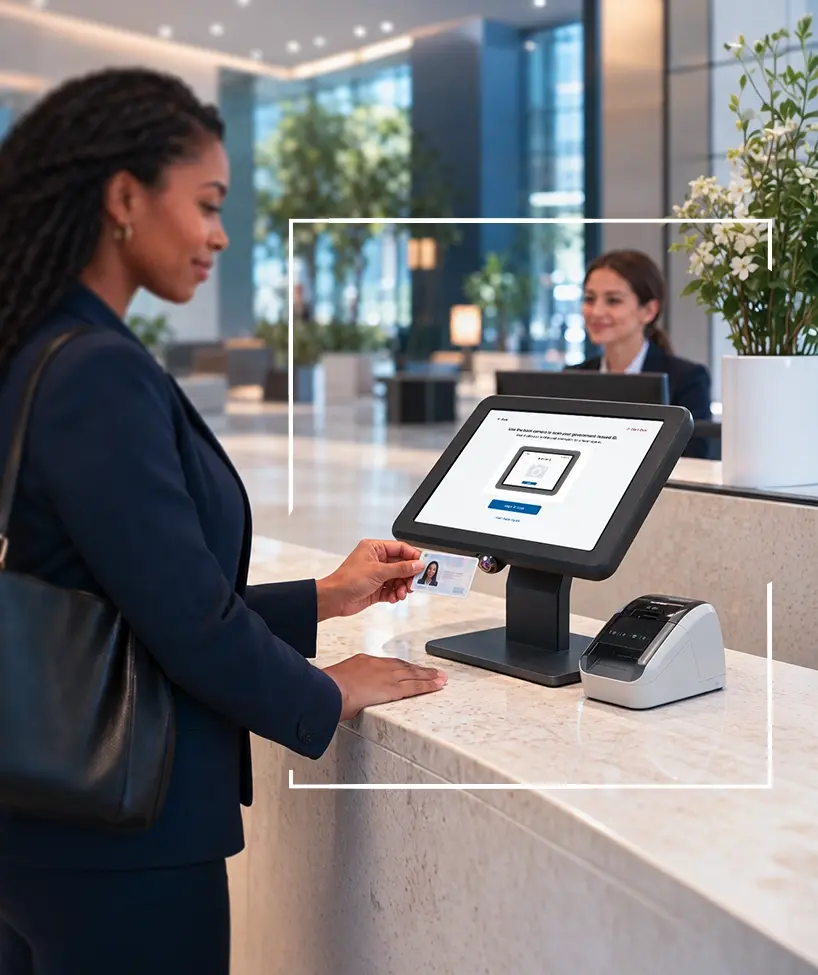
The kiosk prompts the visitor to scan their ID on the iPad camera, supports two-sided scanning where required, reads name, country and date of birth, and runs image quality checks throughout to correct glare and alignment.
VisitorOS saves the scan to the visitor record and the visitor proceeds.
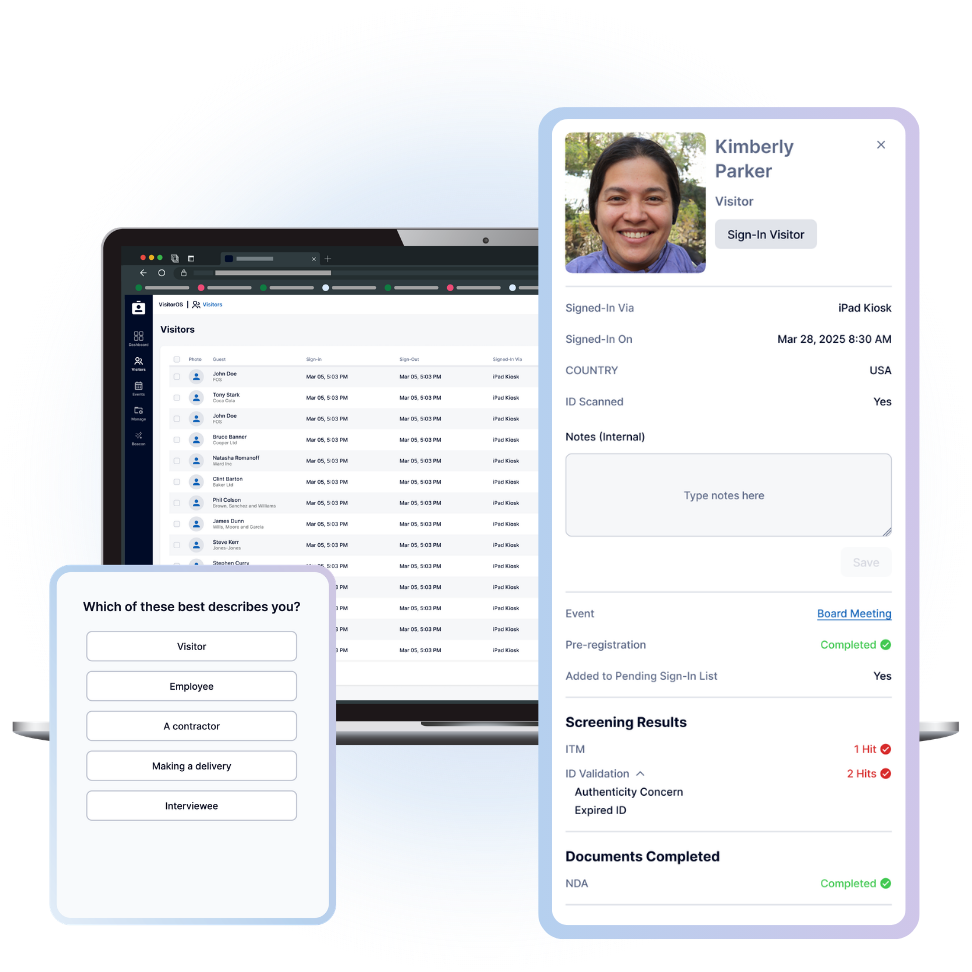
VisitorOS checks the ID against the four categories above, normalizes the raw results into those categories, and writes them to the visit record. ID Validation appears as a new column in the Visitors Log with new status and concerns such as: Valid ID, Expired ID, Not Scanned, or Authenticity Concern.
The Visitor Record documents the screening results and the total number of hits.
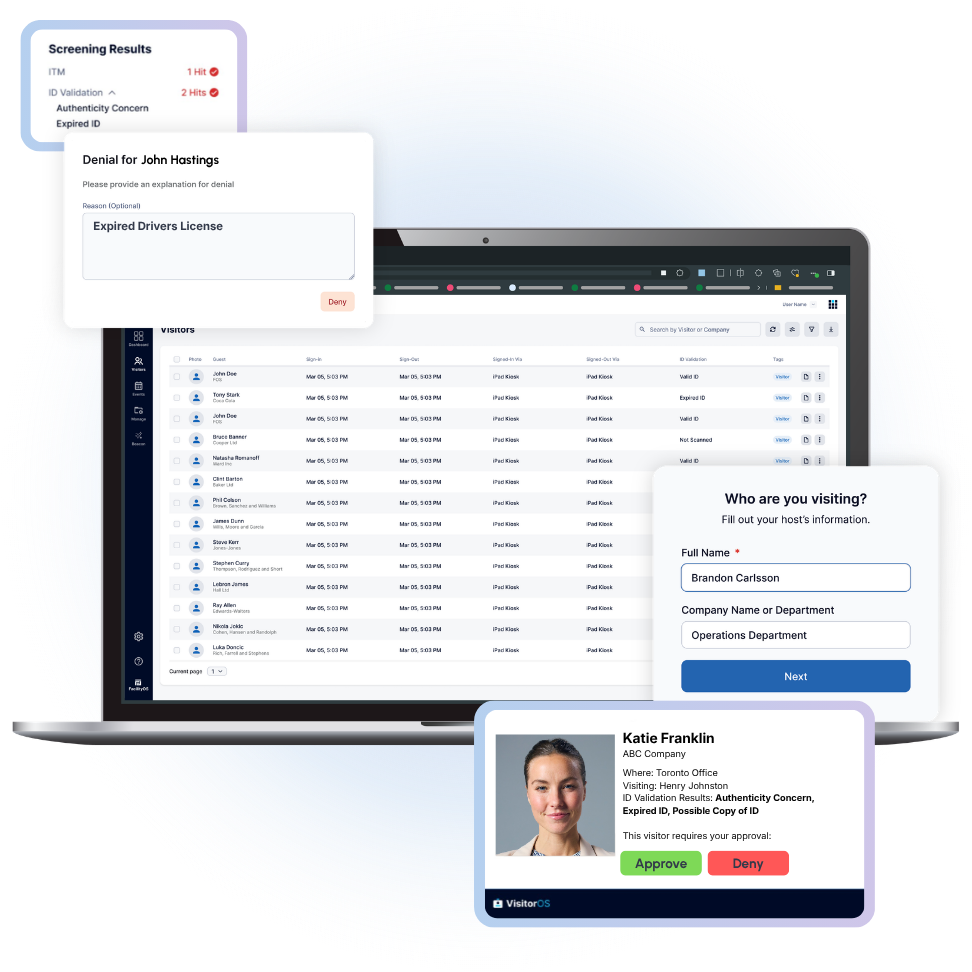
With the Watchlist add-on, each finding carries a consequence a site defines custom to their requirements and needs: deny the sign-in, alert security, hold the visitor for approval, or print a unique identifiable badge.
Security teams and hosts receive an email showing the finding and the action taken, such as a denied entry. On sites with the Visitor Approval add-on, the security officer can still reverse an automated approval or denial.
For users without the Visitor Approval add-on, the sign-in notification is informational and flags the ID Validation concern. For users with Visitor Approval add-on, the email includes the validation results alongside Approve and Deny actions.
ASIS Research Report
Get the full report and insights conducted in partnership with ASIS International, security professionals were surveyed gathered insights to capture the current status and practice of security controls and visibility.
Tighten security measures at entry with ID Validation working alongside Watchlists & Visitor Approval.

Increase visibility of who enters your site with ID Validation checks.
Enhanced safety of onsite personnel with strengthened security.
With the pen and paper process, there’s no way to validate that the information is accurate.
- Security Manager, Freight & Logistics Company
There are sites that aren't doing it properly, because training isn't there or personnel rotation is too high. We want to rely on the system to do it, so there's no human interference in the process.
- Head of Corporate Security, Industrial Machinery & Equipment Manufacturing
What are the results you can get when running an ID Validation check?
After a valid scan completes, VisitorOS runs a set of AI-powered authenticity checks and normalizes the results into four findings:
How does the ID Validation feature work with Watchlists and Visitor Approval?
Together they create one workflow. ID Validation is the signal that identifies what is wrong with the document. Watchlist is the policy that decides which findings warrant a look and which warrant stepping in. Visitor Approval is the control that puts a person on the entry decision. Together they create an identify, notify, review, approve/deny workflow.
What does the ID Validation feature add to the visitor record and the visitor log?
ID Validation results are added to the Screening Results section of the visitor record in VisitorOS. It lists the total number of hits and the specific categories, for example, ID Validation, 2 Hits: Authenticity Concern, Expired ID.
Within the visitor log, ID Validation appears as a new column on the Visitors page. It contains the status and concerns such as Valid ID, Expired ID, Not Scanned, or Authenticity Concern.
Does ID Validation have multiple site control?
Yes! ID Validation watchlists span sites and sites without the feature enabled can skip evaluation on their own.
How many documentation types does ID Validation cover?
ID Validation covers roughly 10,000 document types. Enabling a broad coverage.
Does anything change for the visitor when they sign-in at the kiosk?
Nope! Nothing changes for the visitor at the kiosk. As usual the kiosk would prompt the visitor to scan their ID on the iPad camera (with 2 sided scanning if needed) and the system reads the name, country, date of birth and runs image quality checks throughout to correct glare and alignment. The scan is then saved within the visitor record and the visitor proceeds.
See other features currently available in VisitorOS
Visitor Registration
Hosts receive instant notifications through SMS, email, integrated Teams and Slack channels when a visitor signs in on-site.
Learn More →Visitor Registration
Reduce wait times, eliminate manual entry, and create a consistent experience with self-service check-in kiosks.
Learn More →Visitor Registration
Make every return visit a breeze with VisitorOS's repeat visitor recognition speeding up their sign-in experience by automatically filling in details and adjusting the process based on past visits.
Learn More →Visitor Registration
Efficiently streamline your visitor registration process with a visitor management solution designed to save time, enhance security, and adapt to your specific needs.
Learn More →Visitor Registration
Visitors can quickly sign-in using QR codes or a simple link, avoiding physical contact with on-site kiosks, which promotes hygiene, reduces bottlenecks and enhances safety.
Learn More →Visitor Registration
Easily manage compliance and safety requirements by having visitors complete and sign NDAs or other legal documents on sign-in with VisitorOS.
Learn More →Visitor Registration
VisitorOS’s advanced pre-registration allows visitors to fill out essential information and complete documents before arriving.
Learn More →Security & Identity
Ensure your facility remains secure by providing visitors with customized badges that control and monitor their access.
Learn More →Security & Identity
The kiosk captures customizable information from the ID and can even take a photo, providing a record of each visitor.
Learn More →Security & Identity
Take a snapshot of a visitor during sign-in on the iPad Kiosk or through their mobile device, adding a visual record to the check-in process.
Learn More →Security & Identity
Automate security checks with a custom visitor approval workflow at pre-registration and onsite sign-in to manage on-site entry efficiently.
Learn More →Security & Identity
Quickly and efficiently identify visitors flagged on watchlists, whether integrated from external databases or created internally.
Learn More →Reporting & Analytics
Track real-time visitor data from sign-in to sign-out, understand peak activity times, and access detailed records to effectively monitor your facility.
Learn More →Reporting & Analytics
The VisitorOS dashboard is the ultimate hub for managing every aspect of your facility’s visitor flow. From inviting guests, to tracking events, to viewing real-time data on visitor activity, the dashboard empowers you with a seamless, centralized view.
Learn More →